Once I had a few notes-to-self from Jott, I started wishing for an automated way to get them on my to-do list.
At first I thought I’d hack something up with RSS. Jott has no feeds. Hiveminder (my current to-do list) provides feeds, but they’re read only.
Then the simple solution smacked me in the face: email. Hiveminder, like a few other to-do list providers, have an option to email yourself to-dos. Since my phone can’t send email, I’ve never thought about using the option. Suddenly, I had a use!
How I connected Jott and Hiveminder
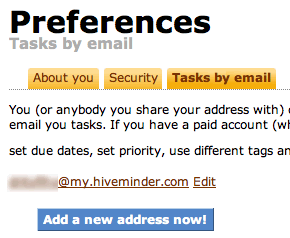
1. In Hiveminder preferences, I added an email address, which is randomized for me:
2. In Jott, I added the Hiveminder email address, and told Jott to send notifications there:

3. Finally, whenever I send a Jott to myself, there is a new task waiting in Hiveminder:
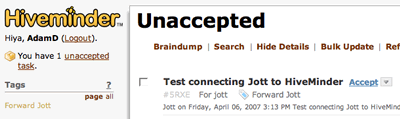
All I have to do is accept the task, give it a due date, and then… complete it.
Want it simpler? Here’s how to connect Jott to GMail and make a to-do list with labels.
[…] Adam Duvander […]